
Manufacturing ERP Software: How It Helps Businesses Improve Production, Inventory & Sales
Introduction
Manufacturing businesses have to manage several moving parts at the same time. From purchasing raw materials and planning production to monitoring inventory, processing customer orders and managing finances, even a small gap in communication can affect the entire operation.
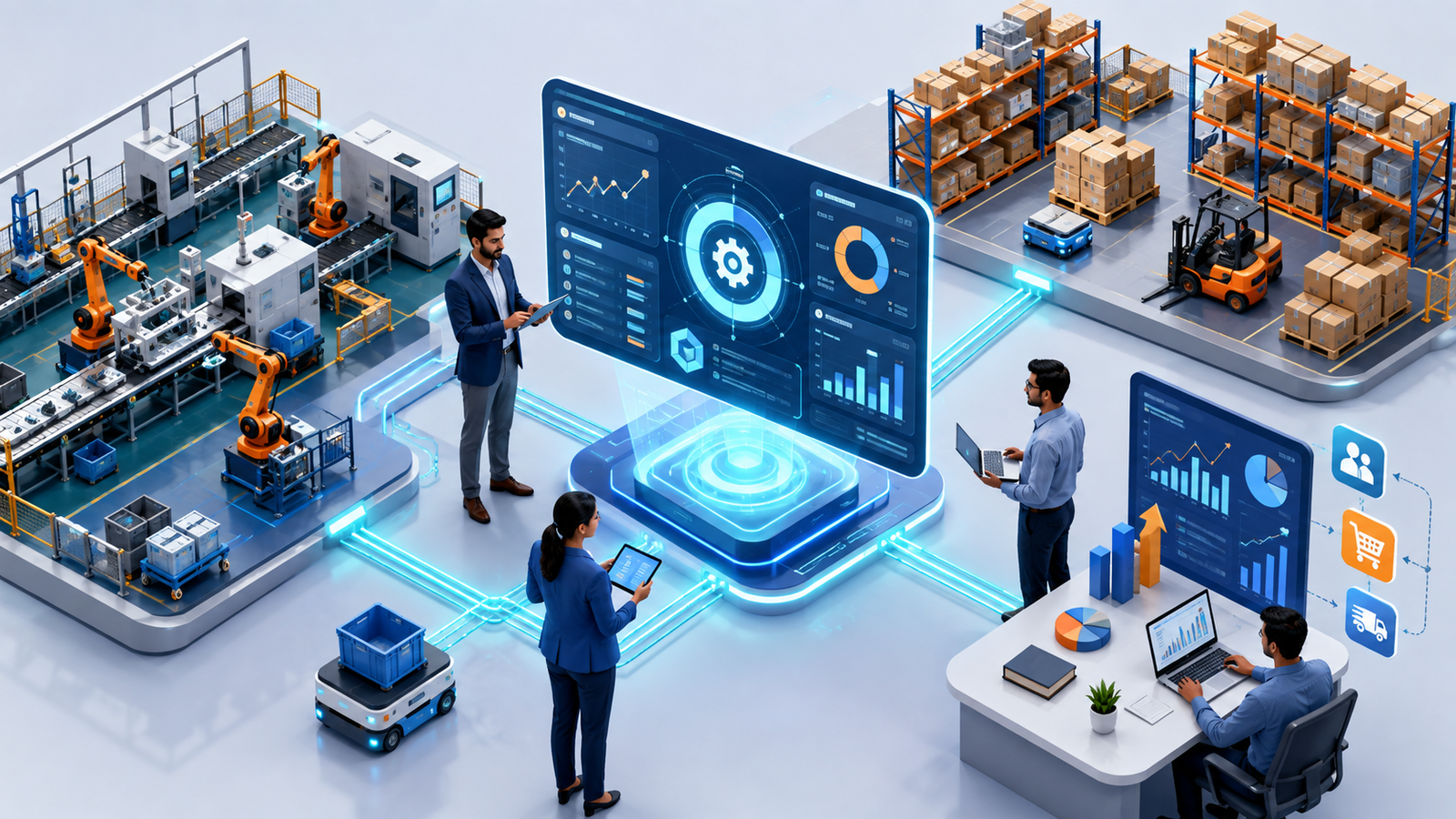
This is where manufacturing ERP software can make a significant difference. An ERP system connects key business processes on a single platform, allowing manufacturers to manage production, inventory, purchasing, sales and other operations with greater visibility.
Instead of relying on spreadsheets, disconnected applications or manual updates, businesses can use an integrated ERP system to access accurate information and coordinate activities across departments.
But how exactly does manufacturing ERP software help? Let’s look at the key benefits.
1. Brings Manufacturing Operations Into One System
One of the biggest advantages of ERP software is integration.
Without an ERP system, production, inventory, purchasing, sales and finance teams may use separate tools. This can result in duplicated data, inconsistent information and delays in communication.
Manufacturing ERP software brings these functions together, creating a central system where authorised employees can access the information they need.
For example, when a customer places an order, relevant information can flow through the appropriate processes, helping teams coordinate inventory, production and delivery.
2. Improves Production Planning
Production planning becomes difficult when manufacturers do not have accurate information about orders, materials, capacity and inventory.
An ERP system can help production teams plan activities based on current demand and available resources.
Depending on the ERP solution, manufacturers may be able to manage:
- Production schedules
- Work orders
- Bill of Materials (BOM)
- Material Requirements Planning (MRP)
- Machine and resource requirements
- Production status
- Material consumption
Better planning can help businesses reduce unnecessary delays and make more effective use of available resources.
3. Helps Control Inventory
Inventory management is critical for manufacturing companies. Too much inventory ties up working capital, while too little inventory can interrupt production.
Manufacturing ERP software provides greater visibility into raw materials, work-in-progress and finished products.
Businesses can track stock movement, monitor inventory levels and identify materials that need to be reordered.
This can help reduce situations such as:
- Unexpected material shortages
- Excess inventory
- Overstocking
- Manual stock reconciliation
- Difficulty locating materials
With better inventory information, purchasing and production teams can make decisions based on actual requirements rather than assumptions.
4. Streamlines Purchasing and Supplier Management
Manufacturing depends heavily on reliable suppliers. Delays in purchasing or receiving raw materials can affect production schedules.
An ERP system can connect purchasing activities with inventory and production requirements.
Businesses can manage purchase requests, purchase orders, supplier information, incoming materials and related transactions from one system.
This creates better visibility into the purchasing cycle and helps businesses coordinate procurement with production requirements.
5. Supports Better Sales Order Management
Sales and production need to work closely together in a manufacturing environment.
When sales teams accept an order without having visibility into inventory or production capacity, delivery commitments can become difficult to meet.
An ERP system provides sales teams with access to relevant operational information. This can help them understand product availability, order status and other information needed to manage customer orders more effectively.
It also reduces the need for employees to repeatedly contact other departments for basic information.
6. Improves Production and Cost Visibility
Manufacturers need to understand how much it costs to produce their products.
Manufacturing ERP software can bring together information related to materials, labour, production activities and other operational costs.
This can help businesses analyse production costs and identify areas where resources may be used inefficiently.
Better cost visibility can also support more informed pricing and profitability decisions.
7. Provides Real-Time Business Information
Manufacturing decisions are often time-sensitive. Managers may need to know whether an order is in production, whether a material is available or whether inventory levels are falling.
When information is spread across multiple spreadsheets and systems, getting an accurate answer can take time.
An integrated ERP platform provides a central source of information, allowing authorised users to access relevant data and reports more quickly.
Dashboards can also help management monitor important operational indicators without waiting for manually prepared reports.
8. Reduces Manual Data Entry
Manual data entry takes time and increases the possibility of errors.
When employees enter the same information into multiple systems, mistakes can occur during copying, updating or reconciliation.
ERP integration reduces unnecessary duplication by allowing information to flow between connected business processes.
This can save employee time and allow teams to focus more on activities that require human judgement and expertise.
9. Helps Improve Order Fulfilment
Manufacturing ERP software can connect sales orders with inventory, production and delivery processes.
When teams have better visibility into order status, they can identify potential delays earlier and coordinate activities accordingly.
This can support more reliable order fulfilment and improve communication with customers.
For manufacturers operating with complex product configurations or multiple production stages, having a clear view of an order’s progress can be particularly valuable.
10. Supports Business Growth
As a manufacturing business grows, its operational processes generally become more complex.
More products, customers, suppliers, employees, warehouses and production activities can make manual systems increasingly difficult to manage.
A scalable ERP platform can provide a structured foundation for growth. Depending on the solution, businesses can add users, modules, locations or integrations as their requirements change.
This makes ERP an important technology investment not only for solving current operational challenges but also for supporting future expansion.
11. Makes Reporting and Decision-Making Easier
Good business decisions depend on reliable information.
Manufacturing ERP software can provide reports covering areas such as:
- Production performance
- Inventory levels
- Sales
- Purchasing
- Material consumption
- Production costs
- Order status
- Supplier performance
- Profitability
Instead of relying entirely on manually prepared spreadsheets, management can use centralised data to identify trends and operational issues.
This can lead to faster and more informed decision-making.
12. Improves Coordination Between Departments
Manufacturing is a connected process. Sales affects production, production affects inventory, inventory affects purchasing and all of these activities can affect finance.
ERP software creates connections between these departments.
When teams work with shared information, it becomes easier to coordinate activities and reduce communication gaps.
This is particularly useful for businesses where multiple departments need to work together to complete a single customer order.
Conclusion
Manufacturing ERP software can help businesses bring production, inventory, purchasing, sales and other important operations together on one integrated platform.
By improving production planning, inventory visibility, purchasing coordination, order management and reporting, ERP can help manufacturers operate more efficiently and make decisions with greater confidence.
However, the right ERP system should be selected based on the manufacturer’s specific processes, production model, business size and future goals. A solution that fits the business today while allowing room for growth can deliver much greater long-term value.
For manufacturers looking to move beyond disconnected spreadsheets and systems, investing in the right ERP solution can be an important step toward creating a more organised, data-driven and scalable operation.
FAQs
1. What is manufacturing ERP software?
Manufacturing ERP software is an integrated business management system designed to help manufacturers manage processes such as production, inventory, purchasing, sales, finance and supply chain operations from a central platform.
2. How does ERP software improve manufacturing?
ERP software can improve manufacturing by connecting departments, supporting production planning, providing real-time inventory information, reducing manual data entry and making operational reporting easier.
3. Can manufacturing ERP software manage inventory?
Yes. Most manufacturing ERP systems include inventory management capabilities that can help businesses track raw materials, work-in-progress and finished goods, monitor stock levels and manage material movement.
4. Does manufacturing ERP software help improve sales?
Yes. ERP can give sales teams better visibility into product availability, inventory and order status. This can help sales teams coordinate more effectively with production and provide customers with more accurate information.
5. Is manufacturing ERP software suitable for small and medium-sized businesses?
Yes. ERP solutions are available for businesses of different sizes. Small and medium-sized manufacturers can choose a solution based on their operational requirements, budget and expected growth rather than assuming that ERP is only suitable for large enterprises.
