
Retail POS and ERP Integration: Benefits, Features & Business Use Cases
Introduction
Retail businesses handle a large volume of transactions every day. Sales, inventory, purchasing, customer information and financial data all need to stay accurate and up to date. When the point-of-sale system and back-office ERP operate separately, employees may have to transfer information manually between systems, creating delays and increasing the possibility of errors.
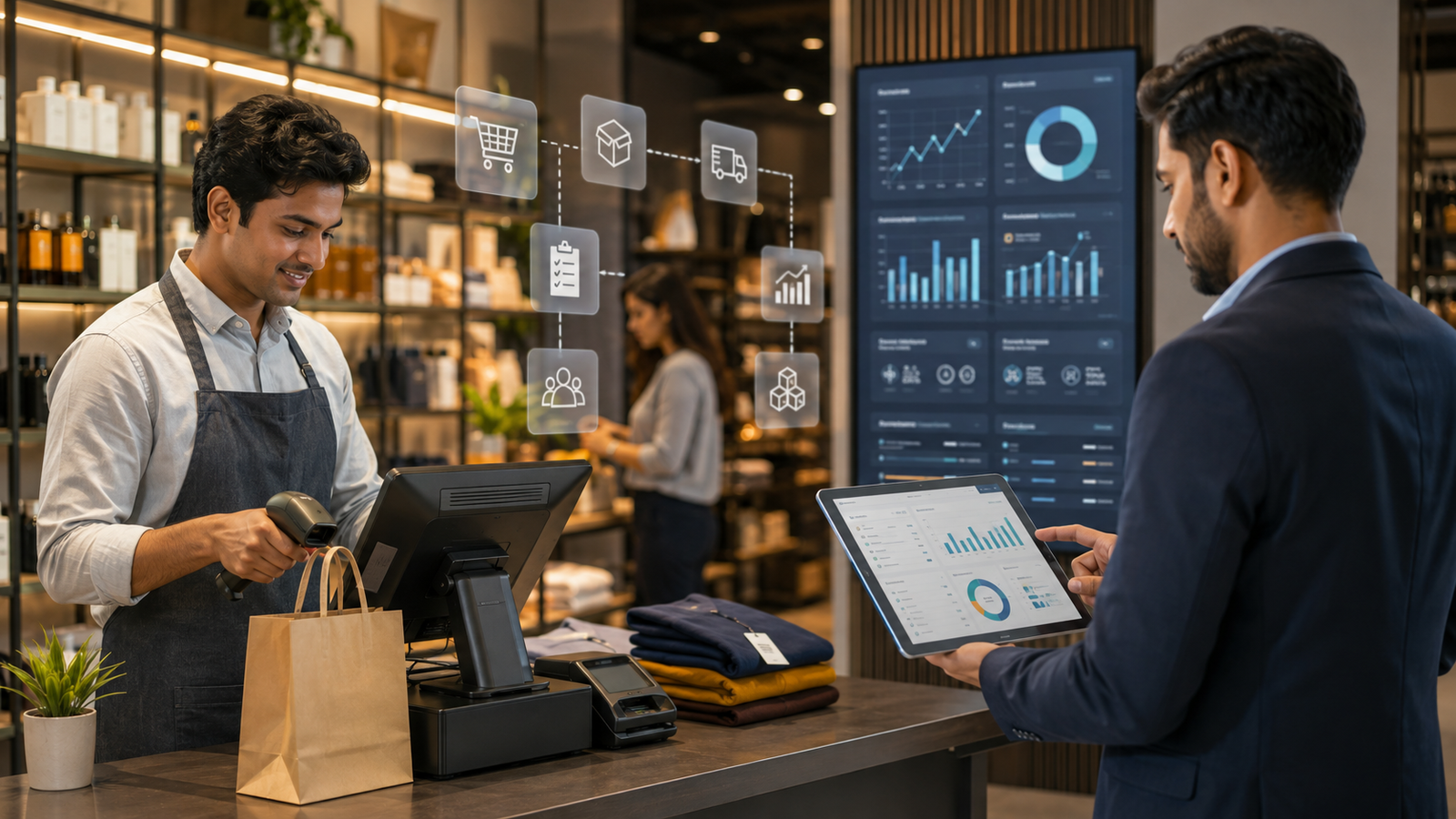
POS and ERP integration connects these two systems so that important information can move between the retail front end and the business’s back-office operations. When a sale is completed at the POS, relevant information can be reflected in inventory, sales records, finance and other connected processes.
For retailers with multiple outlets, large inventories or growing operations, integrating POS with ERP can provide better visibility, improve efficiency and create a more connected retail management environment.
1. What Is POS and ERP Integration?
POS and ERP integration is the process of connecting a Point-of-Sale (POS) system with an Enterprise Resource Planning (ERP) platform.
The POS system typically handles customer transactions at the retail location, while the ERP manages broader business processes such as:
- Inventory
- Purchasing
- Finance
- Sales
- Supplier management
- Warehouse operations
- Reporting
Integration allows relevant data to flow between the two systems without requiring employees to manually enter the same information multiple times.
For example, when a product is sold at a retail counter, the transaction can update inventory records in the ERP system.
2. Why Is POS and ERP Integration Important for Retailers?
When POS and ERP systems operate independently, businesses may have separate records for sales and inventory.
This can create challenges such as:
- Duplicate data entry
- Delayed inventory updates
- Reporting inconsistencies
- Manual reconciliation
- Limited visibility across stores
- Difficulty tracking product movement
Integration helps connect retail transactions with back-office processes, giving businesses a more complete view of their operations.
3. Real-Time Inventory Visibility
Inventory accuracy is one of the biggest benefits of POS and ERP integration.
When a sale is recorded at the POS, the corresponding inventory information can be updated in the ERP system, depending on the integration architecture and synchronisation settings.
This helps businesses monitor:
- Available stock
- Sold products
- Stock movement
- Reorder requirements
- Store-level inventory
- Warehouse inventory
Better visibility can help retailers identify low-stock products and make purchasing decisions more effectively.
4. Faster and More Accurate Sales Data
Retail businesses process numerous transactions every day.
Manually transferring sales information from POS systems into an ERP can take time and introduce errors.
With integration, transaction information can move automatically between systems.
This can help businesses maintain more consistent sales records and reduce the administrative work associated with manual data entry and reconciliation.
5. Better Purchasing and Replenishment
Retail purchasing decisions depend heavily on accurate sales and inventory information.
When POS and ERP systems are connected, businesses can use sales and stock data to understand which products are moving quickly and which may require replenishment.
For example, if a product’s stock consistently falls below a defined threshold, the business can use the information to initiate or plan replenishment.
This can help reduce both stock outs and unnecessary overstocking.
6. Centralised Management for Multiple Stores
Managing multiple retail outlets can become challenging when every store maintains separate information.
POS and ERP integration can provide centralised visibility across locations.
Management may be able to monitor:
- Store-wise sales
- Inventory levels
- Product movement
- Purchasing
- Revenue
- Stock transfers
- Business performance
This can make it easier for central teams to compare locations and identify differences in sales or inventory performance.
7. Improves Financial Management
Retail transactions ultimately need to be reflected in financial records.
Integrating POS with ERP can help transfer relevant sales and transaction information into financial workflows, reducing the need for employees to manually consolidate data.
Depending on the systems involved, integration can support processes related to:
- Sales records
- Invoicing
- Tax information
- Payments
- Revenue reporting
- Financial reconciliation
This can make financial reporting more efficient and reduce administrative effort.
8. Supports Better Customer Management
Modern retail businesses increasingly need to understand customer behaviour.
Depending on the POS and ERP setup, customer information and purchase history can be connected with other business systems.
This can help retailers understand:
- Customer purchase patterns
- Frequently purchased products
- Repeat purchases
- Customer preferences
- Store activity
When combined with CRM or loyalty systems, integrated retail data can also support more personalised customer engagement.
9. Key Features to Look for in POS and ERP Integration
The exact features depend on the systems being connected, but businesses should consider integration capabilities such as:
- Real-time or scheduled data synchronisation
- Inventory synchronisation
- Sales data transfer
- Product and pricing synchronisation
- Customer data integration
- Purchase order integration
- Multi-store support
- Warehouse integration
- Financial data integration
- Reporting and dashboards
- API support
- Error monitoring and reconciliation
The integration should be designed around the retailer’s actual workflows rather than simply connecting systems without a clear business objective.
10. Business Use Case: Multi Store Retail
Consider a retailer operating multiple stores across different locations.
Each store records sales through its POS system. Without integration, the central management team may need to collect and consolidate information manually.
With POS and ERP integration, sales and inventory information can be connected with the central ERP platform.
Management can then gain better visibility into store-level performance and product availability.
11. Business Use Case: Inventory-Heavy Retail
Retailers with large product catalogues can benefit significantly from integrated systems.
For example, a business selling thousands of SKUs may struggle to maintain accurate inventory records if sales data is updated manually.
Connecting the POS and ERP can help synchronise sales and stock information, making it easier to monitor product movement and identify replenishment requirements.
12. Business Use Case: Omni Channel Retail
Retailers increasingly sell through multiple channels, including physical stores, websites and marketplaces.
This can create inventory management challenges if every channel maintains separate information.
An integrated technology environment can help businesses connect transactions and inventory across different sales channels, depending on the capabilities of the POS, ERP and e-commerce platforms.
This can provide customers and employees with more consistent information about product availability.
13. Business Use Case: Wholesale and Retail Operations
Some businesses operate both retail outlets and wholesale distribution.
These businesses may need to manage different pricing structures, customers, warehouses and sales channels.
POS and ERP integration can connect retail sales with broader inventory, purchasing and financial operations, helping management maintain greater visibility across the business.
14. Challenges to Consider Before Integration
Although integration offers many advantages, businesses should plan carefully before implementation.
Potential challenges include:
- Compatibility between systems
- Data mapping
- Legacy software
- API limitations
- Data synchronisation issues
- Security requirements
- Implementation costs
- Employee training
- Ongoing maintenance
Businesses should define which data needs to move between systems, how frequently it should synchronise and which system should be treated as the source of truth for each type of information.
15. How to Implement POS and ERP Integration Successfully
A successful integration begins with understanding the existing technology environment.
A practical process can include:
- Identify the systems currently in use.
- Document important business workflows.
- Define which data needs to be exchanged.
- Check API and integration capabilities.
- Map data fields between systems.
- Establish security and access controls.
- Test the integration before launch.
- Train relevant employees.
- Monitor synchronisation after implementation.
- Review and improve the integration over time.
Working with an experienced technology partner can help businesses address technical compatibility and workflow requirements during implementation.
Conclusion
POS and ERP integration can help retail businesses connect front-counter transactions with important back-office processes such as inventory, purchasing, finance and reporting.
By reducing manual data entry and improving the flow of information, integration can provide better visibility across stores and operations. It can also support more accurate inventory management, faster reporting and better decision-making.
However, successful integration requires more than simply connecting two systems. Retailers should evaluate their workflows, data requirements, existing technology and future growth plans before selecting an integration approach.
For businesses operating multiple stores, large inventories or multiple sales channels, a well-planned POS and ERP integration strategy can provide a stronger foundation for efficient and scalable retail operations.
FAQs
1. What is POS and ERP integration?
POS and ERP integration connects a retail Point-of-Sale system with an ERP platform so that information such as sales, inventory and transaction data can move between the systems.
2. What are the main benefits of POS and ERP integration?
Key benefits include improved inventory visibility, reduced manual data entry, more consistent sales information, better purchasing decisions, centralised reporting and improved management of multiple retail locations.
3. Can POS and ERP integration support multiple stores?
Yes. Integration can help central management access information from multiple stores, depending on the capabilities of the POS and ERP systems. This can make store-level sales and inventory monitoring more efficient.
4. Does POS and ERP integration improve inventory management?
Yes. Connecting sales transactions with inventory records can provide more timely information about product movement and stock levels. This can help retailers identify replenishment requirements and reduce manual inventory reconciliation.
5. How much does POS and ERP integration cost?
The cost varies depending on the POS and ERP platforms, number of stores, integration complexity, data volume, required customisation and ongoing support. A detailed technical assessment is usually needed to determine the actual implementation cost.
